About & privacy
This page explains where book data comes from, what MeBooks does not guarantee, and how your account data is handled.
1. Book data sources
Book details (title, authors, publisher, year, description, genre and page count) come from five sources:
- MeBooks catalogue: records that users have already added or edited.
- Google Books (Google LLC).
- Open Library (Internet Archive), including covers from covers.openlibrary.org.
- Wikidata (Wikimedia Foundation).
- Internet Archive.
Where ISBNs come from
ISBNs are entered by users, either by scanning a barcode or typing the number. MeBooks does not create ISBNs.
How data is stored
When a book is looked up, MeBooks checks the catalogue first, then external sources. Details from external sources are copied into the MeBooks catalogue so every user sees the same record. Users can also add a book manually when it is not found in any source.
2. Disclaimer
- External data may contain errors or be incomplete.
- Records added or edited by users are not checked by MeBooks.
- Covers and book content belong to their publishers and owners.
- MeBooks is not affiliated with Google, Open Library, Wikidata, or the Internet Archive.
If you see incorrect information, correct the record or contact us at admin@brodynhq.com.
3. Account privacy
- Personal data: email, username, display name, bio, and profile picture. Passwords are stored in hashed form by Supabase Auth.
- Public accounts: profile, shelf, reviews, and activity can be seen by anyone who opens your profile.
- Private accounts: shelf and activity can only be seen by followers you approve.
- Individual books: each book can be set to public or private. Private books do not appear on your profile or feed.
- Private notes: never shown to other people.
- Passwords: checked against public breach lists at sign-up. Only the first five characters of a SHA-1 hash are sent.
- Deleting your account: can be done from your profile page. All shelves, progress, reviews, lists, and followers are permanently deleted.
- Export: you can download your shelf as CSV.
Infrastructure: database and sign-in on Supabase, hosting on Vercel.
4. Install on your phone
MeBooks is a web app, so there is nothing to download from the Play Store or App Store. Add it to your home screen instead.
Android (Chrome or Brave)
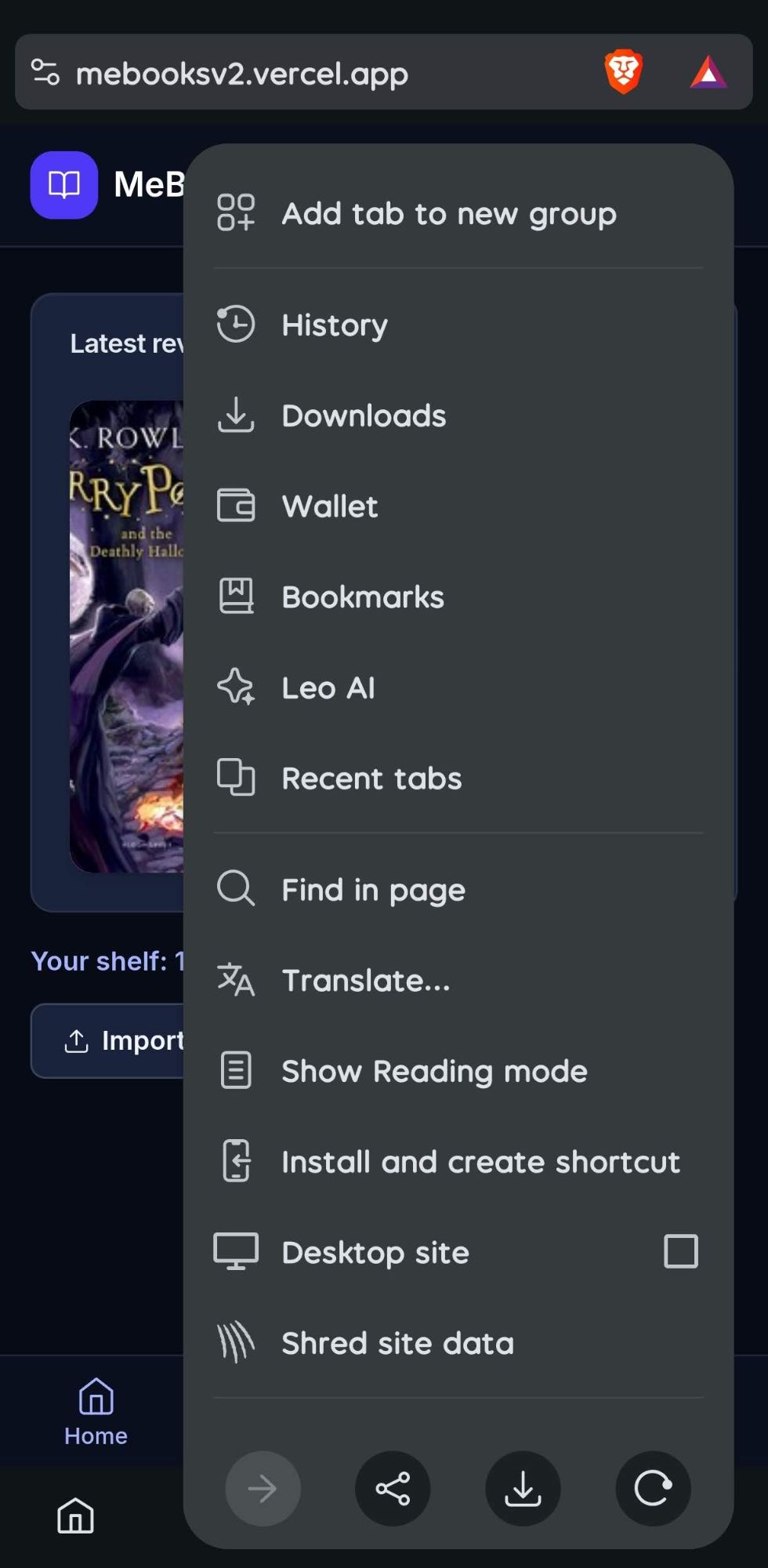
- Open mebooksv2.vercel.app in your browser.
- Tap the ⋮ menu.
- Choose Install and create shortcut or Install app.
iPhone (Safari)
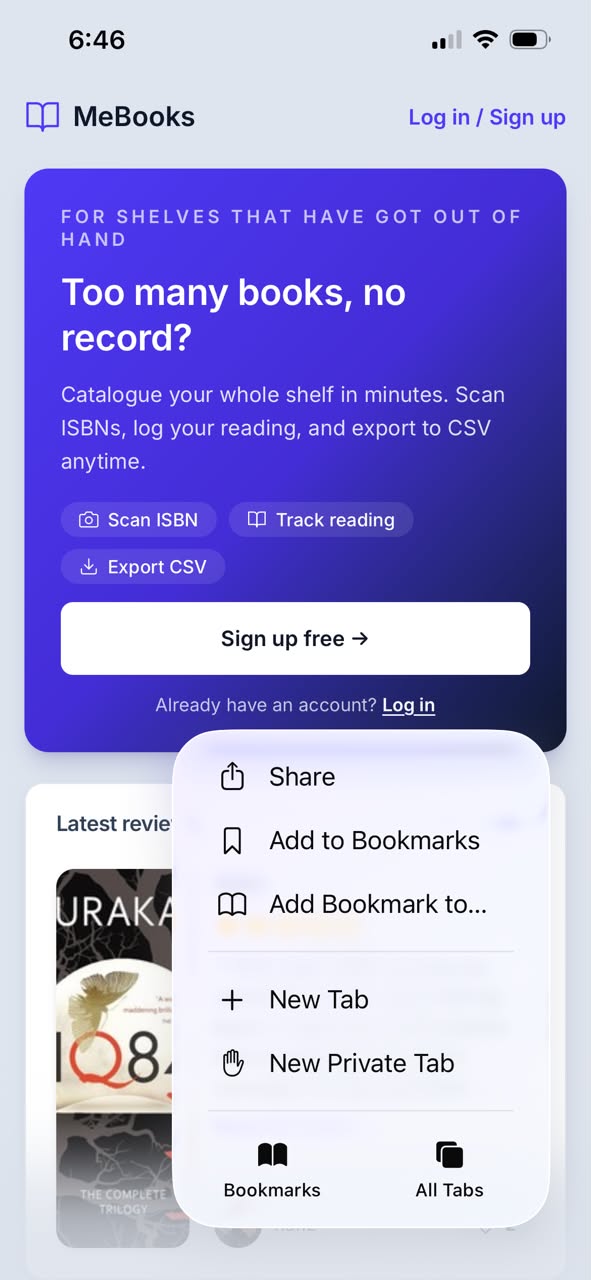
- Open mebooksv2.vercel.app in Safari.
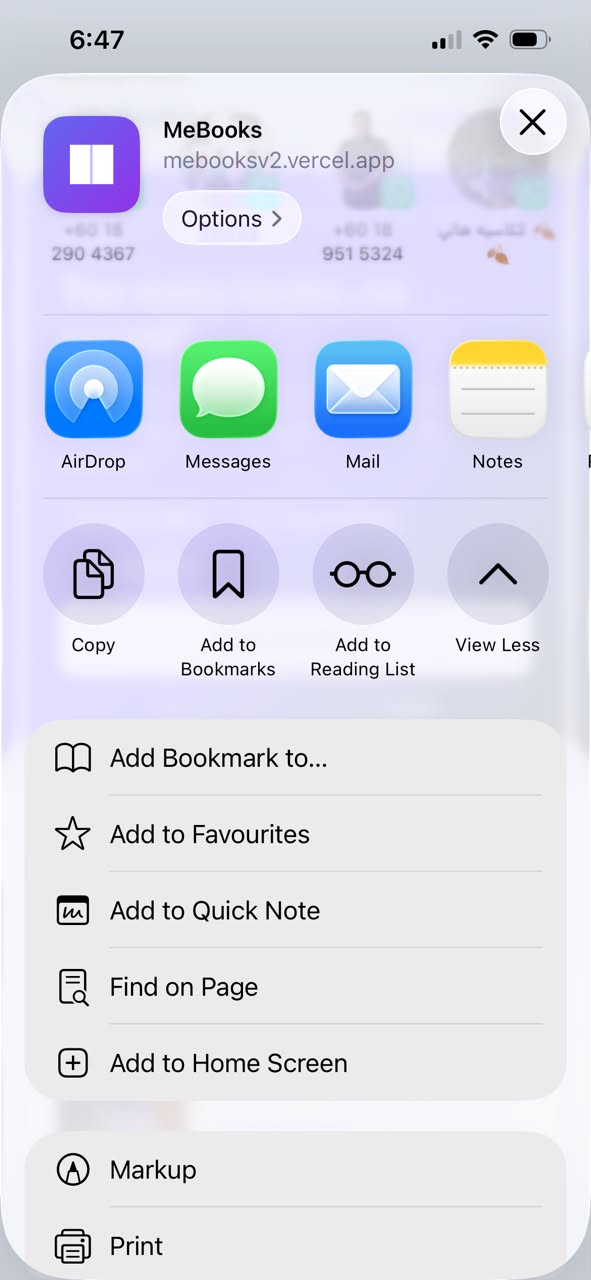
- Tap the Share button.
- Scroll down and choose Add to Home Screen.
1. Sumber data buku
Maklumat buku (tajuk, penulis, penerbit, tahun, sinopsis, genre, dan jumlah muka surat) datang dari lima sumber:
- Katalog MeBooks: rekod buku yang pengguna lain dah tambah atau edit sebelum ini.
- Google Books (Google LLC).
- Open Library (Internet Archive), termasuk kulit buku dari covers.openlibrary.org.
- Wikidata (Wikimedia Foundation).
- Internet Archive.
Dari mana ISBN datang
ISBN dimasukkan oleh pengguna, sama ada dengan mengimbas barcode atau menaip nombor tu. MeBooks tak mencipta ISBN sendiri.
Bagaimana maklumat disimpan
Bila buku dicari, MeBooks semak katalog dulu, kemudian sumber luar. Maklumat dari sumber luar disalin ke katalog MeBooks supaya semua pengguna boleh guna rekod yang sama. Pengguna juga boleh tambah buku secara manual bila tiada dalam mana-mana sumber.
2. Penafian
- Data dari sumber luar boleh mengandungi ralat atau tidak lengkap.
- Rekod yang ditambah atau diedit pengguna tidak disemak oleh MeBooks.
- Kulit buku dan kandungan buku adalah hak cipta penerbit dan pemiliknya.
- MeBooks tidak berafiliasi dengan Google, Open Library, Wikidata, atau Internet Archive.
Kalau anda nampak maklumat yang salah, betulkan rekod tu atau hubungi kami di admin@brodynhq.com.
3. Privasi akaun
- Data peribadi: e-mel, nama pengguna, nama paparan, bio, dan gambar profil. Kata laluan disimpan dalam bentuk yang disulitkan oleh Supabase Auth.
- Akaun awam: profil, rak, review, dan aktiviti boleh dilihat oleh sesiapa yang buka profil anda.
- Akaun privat: rak dan aktiviti hanya boleh dilihat oleh pengikut yang diluluskan.
- Buku individu: setiap buku boleh ditetapkan awam atau privat, dan buku privat tak muncul dalam profil atau feed.
- Nota peribadi: tak pernah dipaparkan kepada orang lain.
- Kata laluan: diperiksa terhadap senarai kebocoran awam semasa daftar. Hanya lima aksara pertama hash SHA-1 dihantar.
- Padam akaun: boleh dibuat dari halaman profil. Semua rak, progres, review, senarai, dan pengikut akan dipadam kekal.
- Eksport: anda boleh muat turun rak sebagai CSV.
Infrastruktur: pangkalan data dan log masuk di Supabase, hosting di Vercel.
4. Pasang di telefon
MeBooks ialah web app, jadi tak perlu muat turun dari Play Store atau App Store. Tambah ke skrin utama sahaja.
Android (Chrome atau Brave)
- Buka mebooksv2.vercel.app dalam penyemak imbas.
- Tekan menu ⋮.
- Pilih Install and create shortcut atau Pasang app.
iPhone (Safari)
- Buka mebooksv2.vercel.app dalam Safari.
- Tekan butang Kongsi.
- Tatal ke bawah dan pilih Add to Home Screen.